Sales
Booklet 1/2
Introduction

Anne • Your coach
Welcome to our sales office!
Become a salesperson specialized in B2B (Business to Business) sales.
Find out:
- the stages of the sales process between vendor and customer
- how to manage a negotiation
Let's go, it's time to create your first quotation!
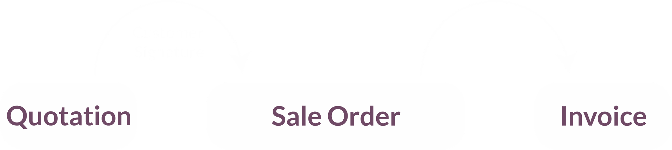
1. Create a quotation

Julie • Customer Ready Mat
Hello, this is Julie from Ready Mat. We would like to order 10 stools and 20 aluminium door handles.

You
Hello Julie, no problem! Via the Sales app, I'll create a new quotation for your company, Ready Mat. What color would you like for the stool?
Julie • Customer Ready Mat
Natural wood please.
You
All good. I'll finalize the offer by adding the delivery fees. Shipping costs are €15. I’ll send the quotation by email.
Do NOT confirm the quotation on the computer!
2. Discuss the quotation
You
All done! Can you check your emails on the tablet?
Julie • Customer Ready Mat
Okay, I've got it! I'll open the quotation and check it with my manager.
You can use the communication box on the customer
quotation to negotiate with the sales representative.
Julie • Customer Ready Mat - One hour later
Thank you for the quotation. Would it be possible to get a discount if we pay this week?
You
Yes, we can offer you a 3% discount if you pay early. I’ll add it to the payment terms.
3. Sign the quotation and send the invoice
Julie • Customer - Ready Mat
Thank you for the discount! I accept and sign the quotation to confirm the order.
Could you also send me the invoice? I don't need the paper version, only the electronic invoice.
You
Of course! First, I will check in the Inventory application that the products are ready for delivery.
Then, I return to the Sales application to create the invoice from the sales order, confirm it, and send it immediately by email and via the Peppol platform.
Peppol is an international network that allows businesses to exchange electronic invoices securely. Before a company can send or receive e-invoices through Peppol, it must activate the service on its Access Point, such as Odoo. Once configured, invoices can be sent directly to other companies connected to the Peppol network.
4. A role-playing game

Anne • Your coach
Sometimes customers want to negotiate prices.
In this case, the seller and the customer enter into negotiations to find a price that both parties can agree on.
Now it's your turn!
No need for the computer, this is a role-play.
Discuss and negotiate the price of a stool using the booklets "Sales - Booklet 2".
If there are 2 of you, one takes the booklet "Customer" and the other one takes the booklet "Seller".
If there are 3 of you, the third one plays the "Moderator".
Don't show your booklet to the other players!